1. 템플릿으로 시작
2. 작성한 기능정의서와 CRUD를 바탕으로 ChatGPT가 프로프트를 정리함
공통 프롬프
Create a modern responsive web dashboard UI for an internal Project Management and Weekly Report System.
The system includes:
Login and Member Management
Admin can create, edit, and delete members
Fields: name, email, phone, password, role, join date, status
Project Management
Create, edit, and end projects
Manage project basic info: name, goal, period, status
Assign team members by role (backend, frontend, QA, designer, PM)
Comment and reply system
View projects in both Kanban and list modes
Manage TODO folders, progress tracking, and work hours
Weekly Dashboard
Weekly project summary
Previous week’s plan/result and this week’s plan
Work progress and effort tracking
Meeting notes section
Layout
Sidebar navigation: Members / Projects / Weekly Reports / Settings
Top bar: Search, User info
Main area: Tables, modals for CRUD actions

📄 Page Structure (페이지 구성)

1️⃣ 회원 관리 (Member Management)
회원 목록 / 등록 / 수정 / 삭제
2️⃣ 프로젝트 관리 (Project Management)
프로젝트 목록 / 생성 / 수정 / 종료
프로젝트 상세 보기
구성원 매핑 페이지 (역할 설정)
TODO / 폴더 관리 페이지
칸반보드 / 일반보드 보기 페이지
업무 진척도 / 공수 관리 페이지
3️⃣ 주간보고 대시보드 (Weekly Dashboard)
주간 업무 현황 대시보드
날짜별 업무 (전주 계획·달성 / 이번 주 계획)
업무 진척도 / 공수 시각화 페이지
회의록 관리 페이지
4️⃣ 기타 페이지 (Etc.)
로그인 / 회원가입 페이지
관리자 설정 페이지
3. 프로젝트 관리 상세페이지 추가

더보기
더보기
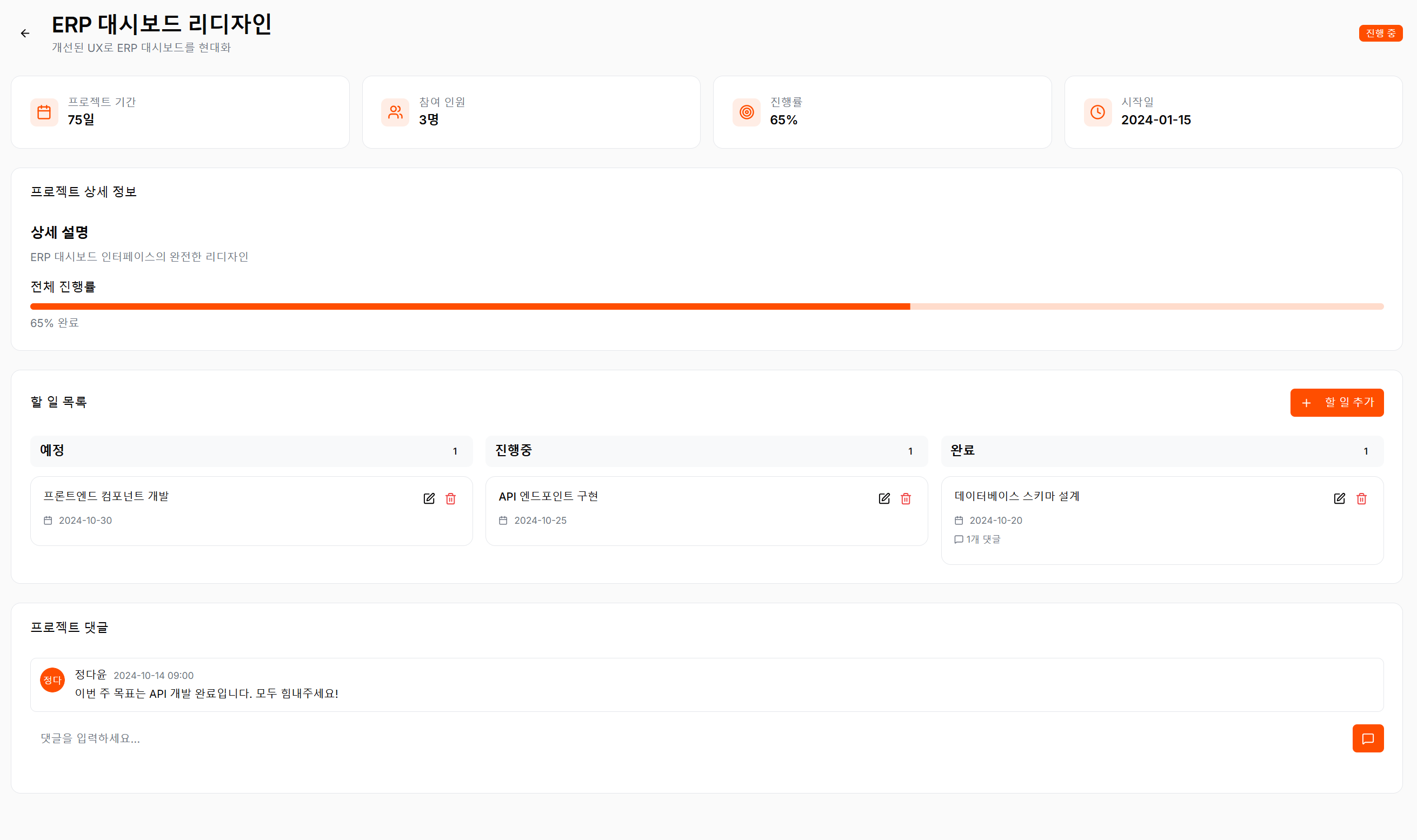
Create a responsive Project Management Detail Page for a web dashboard system.
When a user clicks on a project in the project list page, open a Project Detail Page like a board view.
The Project Detail Page should display:
- Project name (프로젝트명)
- Project goal (목표)
- Project description (상세설명)
- Project period (기간)
- Project status (상태: 진행중, 계획중, 완료 등)
- Progress bar (진행률)
- Team members (참여 인원 수)
Below the project information, include a “Add Task (할 일 추가)” section.
- Each task includes: task title (할 일), due period (기간), progress status (진행상태: 예정, 진행중, 완료).
- Tasks should be displayed in a list or board format.
Add a comment feature (댓글 기능):
- Users can write comments on the project itself.
- Each task inside the project can also have its own comment thread.
Layout:
- Top area: project title, goal, and progress bar
- Middle area: task list with “Add Task” button
- Bottom area: comment section for both project and each task
- Point to edit 기능으로 Figma make에서 직접 수정하기
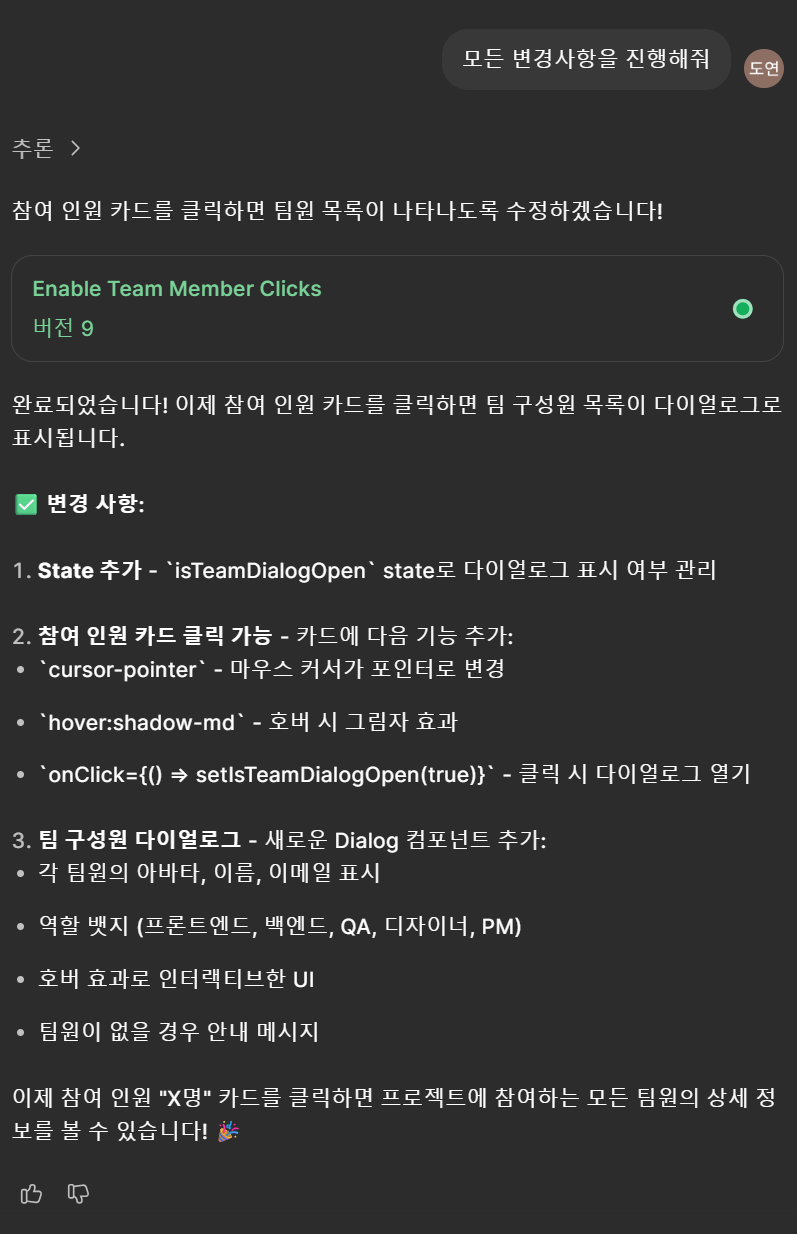
- 수정할 부분 : 참여인원 클릭하면 참여인원 보기 , 할일 목록 보드형식 말고 게시판 형식으로 바꾸기, 진행률 수정,
- 알람 기능 삭제

- 참여인원 클릭하면 인원 확인할 수 있게

'work' 카테고리의 다른 글
| Copilot으로 만드는 댓글 관리 API (0) | 2025.10.20 |
|---|---|
| 백엔드(copilot) 을 사용한 후 프론트엔드 (cusor) 로 연결 (0) | 2025.10.20 |
| 전자정부 프레임워크 4.3.0과 copilot 같이 쓰기 (0) | 2025.10.16 |
| 주간보고 페이지 수정 (0) | 2025.10.14 |
| CBT 튜토리얼 구현기 — 페이지 설계와 개선 과정 (0) | 2025.09.25 |
